QMS Release – Summary of Key Improvements
1. Data correctness & numerical consistency
This release significantly improves the consistency and reliability of numeric values across the platform.
- Standardized handling of NaN, empty, and zero values across apps and exports
- Enforced consistent decimal precision and rounding behavior for predicted, calculated, and displayed values
- Corrected inconsistencies where values appeared differently across tabs, pop-ups, and reports
- Resolved cases where values incorrectly appeared as “–” instead of 0
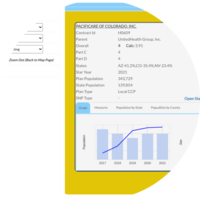
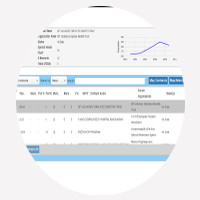
Affected areas: Multiplanner, Stars Planner, Star Explorer, Company State Report, Reports, Valuator, Parent Org Popup
2. Stars methodology alignment & analytical clarity
Several changes improve how Stars-related metrics are calculated, visualized, and interpreted.
- Corrected swapped improvement measures (with vs. without values)
- Added clear distinction between rounded and unrounded ratings in tooltips
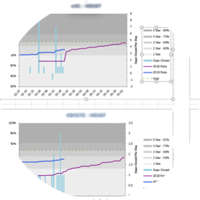
- Updated trend charts to use dynamic Y-axis scaling based on unrounded contract ratings
- Ensured predicted values and summary metrics follow consistent rounding rules
- Added Summary Mean visibility where previously missing
Affected areas: Multiplanner, Stars Planner, Star Explorer
3. UI-to-export parity & trust improvements
This release addresses multiple gaps between what users see in the UI and what they receive in Excel exports.
- Fixed charts and data not updating correctly in Excel exports
- Restored missing private records and group details in downloads
- Aligned year-wise and measure-level data between UI and reports
- Ensured empty or no-membership values display consistently in exports
Affected areas: Stars Dashboard, Scenario Manager, Reports
4. Filtering, state persistence & guardrails
Improvements to filtering behavior and user feedback reduce confusion and invalid states.
- Fixed filters clearing unexpectedly or displaying null/undefined pills
- Prevented infinite loading states when required selections are missing
- Added clearer alerts and validation messages for invalid actions
- Resolved cases where dropdowns populated despite “no data” results
Affected areas: Star Explorer, Time Series, Scenario Manager
5. Visualization, accessibility & UX polish
Targeted UI improvements enhance readability and accessibility without changing underlying logic.
- Improved tooltip formatting, conditional coloring, and condensed displays
- Updated legend behavior and color-blind-friendly palettes
- Fixed alignment, font, and spacing inconsistencies
- Added a global toast for consistent notifications and error messaging
Affected areas: Multiplanner, Stars Dashboard, General UI
6. Miscellaneous stability fixes
- Resolved navigation and scrolling issues
- Fixed overlapping UI elements in pop-ups and maps
- Corrected knowledge center errors and menu font rendering
- Added missing fields and validations in user and scenario creation